

When a homeowner discovers a leaking water heater or a backed-up drain, they need someone who can help. They may search Google, compare nearby businesses, check reviews, and call the company they feel comfortable hiring.
Your Google Business Profile helps customers make that decision. It can show what you do, where you work, when you're available, and what past customers say about you.
But having a profile is only the beginning. Outdated information, missing services, and unclear photos can leave potential customers with unanswered questions.
Here's how to improve your profile, using a plumbing business as an example. The same approach applies to electricians, HVAC contractors, landscapers, cleaners, and other local service businesses.
1Claim and Verify Your Profile
Start by searching Google or Google Maps for your business name. If a listing already exists, claim it or request access rather than creating another one. If there isn't a listing, visit Google Business Profile to begin adding your business.
Complete the verification method Google offers. The available methods depend on your business and are chosen by Google; you may be asked to provide a video or use another available option.
Once you have access, sign in to the Google account connected to your profile and search for your business to find its management controls. Labels and available features can vary.
Use an account your business controls. If you hire a marketing company, add it as a manager while retaining ownership.
Your first task: confirm that you can access the profile and edit its information.
2Get Your Business Name, Phone Number, and Hours Right
Use the name customers know from your website, signage, and other branding.
If your business is called “Smith Plumbing,” don't change the profile name to “Smith Plumbing Best Emergency Plumber Nassau County” just to include search phrases.
Next, check your phone number, website link, regular hours, and holiday hours. Test the phone number and website yourself.
Only list 24-hour availability if that accurately reflects how your business operates. An emergency customer who calls at midnight needs your published hours to mean what they say.
Your first task: open your public listing on your phone and check every contact detail.
3Choose Categories That Describe Your Business
Your primary category should describe your main business as specifically as possible. For a general plumbing company, “Plumber” may be the appropriate choice.
Review Google's available additional categories and select only those that genuinely describe the business. Categories affect local ranking, so accuracy matters.
Categories and services have different purposes. You don't need a separate category for every repair you perform. Use the services section to explain those individual offerings.
Your first task: check your primary category and remove any unrelated additional categories.
4Set Up Your Service Area Correctly
If you travel to customers and don't serve them at your business address, set up your profile as a service-area business and hide that address from the public.
This is especially relevant for contractors who operate from home. Don't present your house as a storefront where customers can visit.
Add the cities, postal codes, or other supported areas you actually serve. Google allows up to 20 service areas and generally says the overall area should stay within about two hours of driving time from your base.
For a Nassau County plumber, that might include a realistic selection of nearby communities where the company regularly accepts work.
Adding a town to your service area does not guarantee you'll rank there. Google's local results consider relevance, distance, and prominence. A service-area list describes your coverage; it doesn't remove the distance factor.
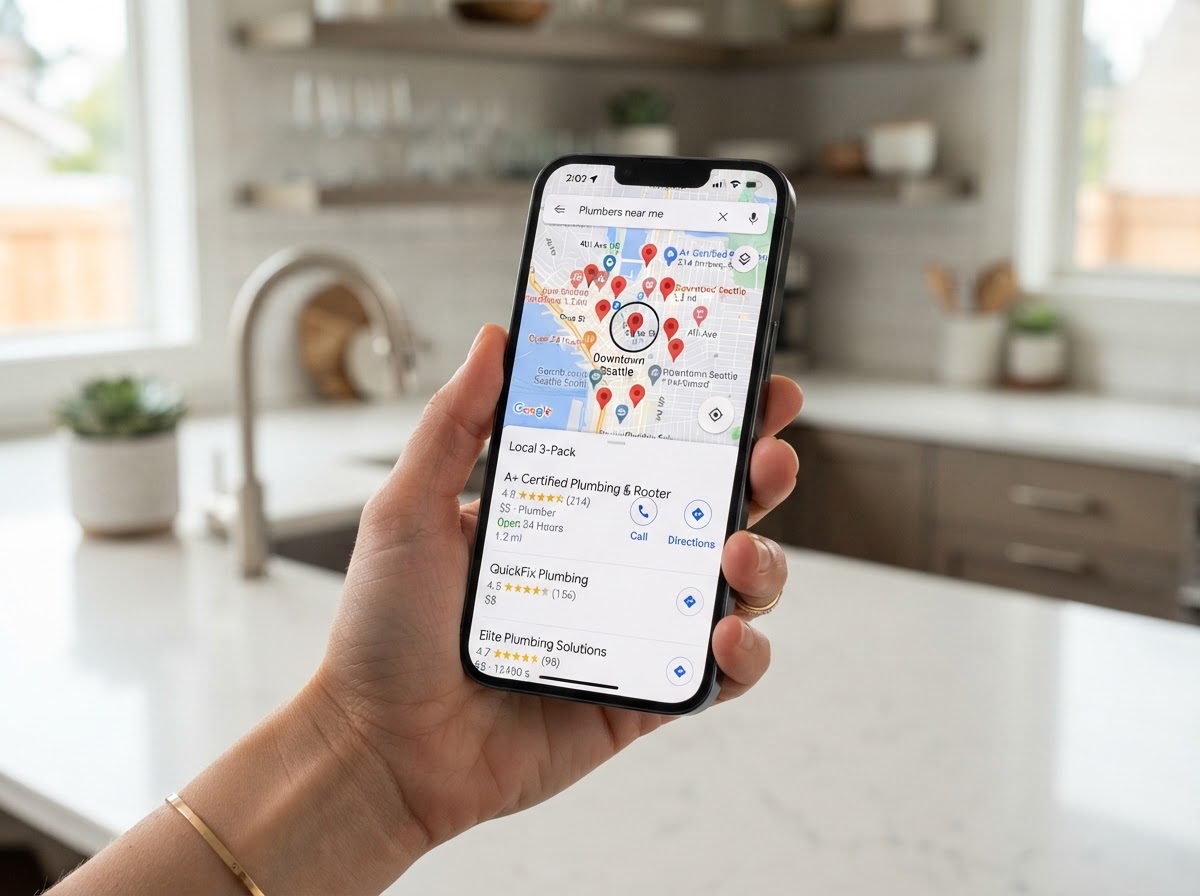
Your first task: make sure your listed coverage matches the jobs you're willing and able to accept.
5Add Your Individual Services
A homeowner may need a particular repair rather than simply “a plumber.” Make your actual services easy to understand.
Where the services editor is available, select applicable suggested services and add custom ones when needed. A plumbing company's list might include:
Add short, useful descriptions where available. For example:
“Water heater repair and replacement: We diagnose hot-water problems and repair or replace residential water heaters. Contact us to discuss your system and scheduling.”
Only include emergency service, equipment types, or other capabilities you genuinely offer. Google may highlight a listed service when it matches what a customer searches for.
- Drain cleaning
- Water heater repair and replacement
- Leak detection and repair
- Sewer line repair
- Toilet repair and installation
- Sump pump installation
- Emergency plumbing
Your first task: add your five most important services, then complete the remaining relevant ones.
6Write a Description That Helps Customers Choose You
Your business description should explain what you do, where you work, and what customers can expect. Google allows up to 750 characters; keep the wording clear and avoid links or promotional pricing.
Here's an example to adapt:
“Smith Plumbing serves homeowners in Nassau County with plumbing repairs, drain cleaning, leak detection, and water heater installation. Our team helps customers understand their options before work begins and keeps the work area tidy. From a leaking faucet to a replacement water heater, we provide practical solutions and clear communication throughout the job.”
Add credentials, years in business, or emergency availability only when accurate.
Your first task: replace vague claims such as “quality service at great prices” with specific information a homeowner can use.
7Show Real People and Real Work
Photos give customers a better sense of who will arrive at their home and the work your business performs.
Start with a clear logo, a team photo, your branded vehicle, and several examples of completed work. For a plumber, a tidy water heater installation can tell a more useful story than a generic stock photo of a wrench.
Ask permission before photographing a customer's property. Keep addresses, paperwork, faces, and other personal details out of images unless you have appropriate permission.
After a suitable job, take a few clear photos and choose one or two worth adding. Make that part of your routine.
Your first task: upload a small selection of current photos that accurately represent your business.
8Make Honest Reviews Part of Completing a Job
Reviews help potential customers assess your business. Google also says that more reviews and positive ratings can help local ranking.
Create your Google review link or QR code, then make asking for feedback a regular part of your process. You might send:
“Thanks for choosing Smith Plumbing. If you have a moment, please share an honest review of your experience: [review link]. Your feedback helps other homeowners learn about our service.”
Use a consistent approach across customers. Don't offer discounts or gifts for reviews, and don't screen customers so only those with positive feedback receive the Google review link.
Reply professionally to reviews. For a complaint, acknowledge the concern and invite the customer to discuss details privately.
Your first task: save your review link and create a repeatable request process.
9Share Useful Updates
Use profile posts to give customers helpful, current information about your business.
A plumbing company could share a completed installation, a seasonal maintenance tip, a new service, or a genuine offer with clear terms.
For example:
“Water collecting around your water heater? It could be coming from a connection, valve, or tank. Our team can assess the problem and explain your repair or replacement options.”
Add a relevant image and an available action button leading to the appropriate page.
A practical starting routine is one useful update per week, adjusted to your workload. Treat this as a way to inform potential customers; posting on a schedule does not guarantee higher rankings.
Your first task: publish one update that answers a question customers regularly ask.
10Check Whether Interest Becomes Booked Work
Open your profile's Performance section and review the available metrics, including website clicks and call-button clicks.
Google's “Calls” metric counts clicks on the call button. It does not tell you how many calls were answered or how many became paying jobs.
Keep a simple record of inquiries, the services requested, booked appointments, and completed jobs. Ask new customers how they found you, and use that information alongside your profile reporting.
If interest increases but bookings don't, investigate the next step: Are calls being answered? Is the website clear? Are estimates followed up?
Your first task: record a starting point and review results monthly.
A Simple Routine You Can Keep
Once the initial improvements are complete, spend a little time each week checking details, responding to reviews, and adding useful photos or updates. Request honest reviews as jobs are completed, and assess inquiries and bookings each month.
You don't need to change every field constantly. You need accurate information, credible evidence of your work, and a reliable way to respond when someone contacts you.
Want Us to Handle Your Google Business Profile for You?
You can follow these steps yourself. But keeping a profile current takes time—especially when you're already managing jobs, estimates, employees, and customer calls.
At GME Marketing, we help local service businesses optimize and manage their Google Business Profiles. We can review your setup, improve categories and service information, organize ongoing updates, build a consistent review-request process, and report on profile activity.
We can also connect your lead follow-up process so new inquiries get timely attention.
Start with a Google Business Profile review. We'll identify what's missing, explain which improvements deserve attention first, and discuss how much you'd like us to handle.
Contact NassauPros to request your Google Business Profile review.
Editorial Sources
- Google: Add or claim your Business Profilehttps://support.google.com/business/answer/2911778
- Google: Verify your businesshttps://support.google.com/business/answer/7107242
- Google: Guidelines for representing your businesshttps://support.google.com/business/answer/3038177
- Google: Manage your business categoryhttps://support.google.com/business/answer/7249669
- Google: Manage service areashttps://support.google.com/business/answer/9157481
- Google: Manage your serviceshttps://support.google.com/business/answer/9455399
- Google: Edit your Business Profilehttps://support.google.com/business/answer/3039617
- Google: Tips to improve local rankinghttps://support.google.com/business/answer/7091
- Google: Tips to get more reviewshttps://support.google.com/business/answer/3474122
- Google: Prohibited and restricted contenthttps://support.google.com/business/answer/7400114
- Google: Create and manage postshttps://support.google.com/business/answer/7342169
- Google: Understand performance and insightshttps://support.google.com/business/answer/9918094