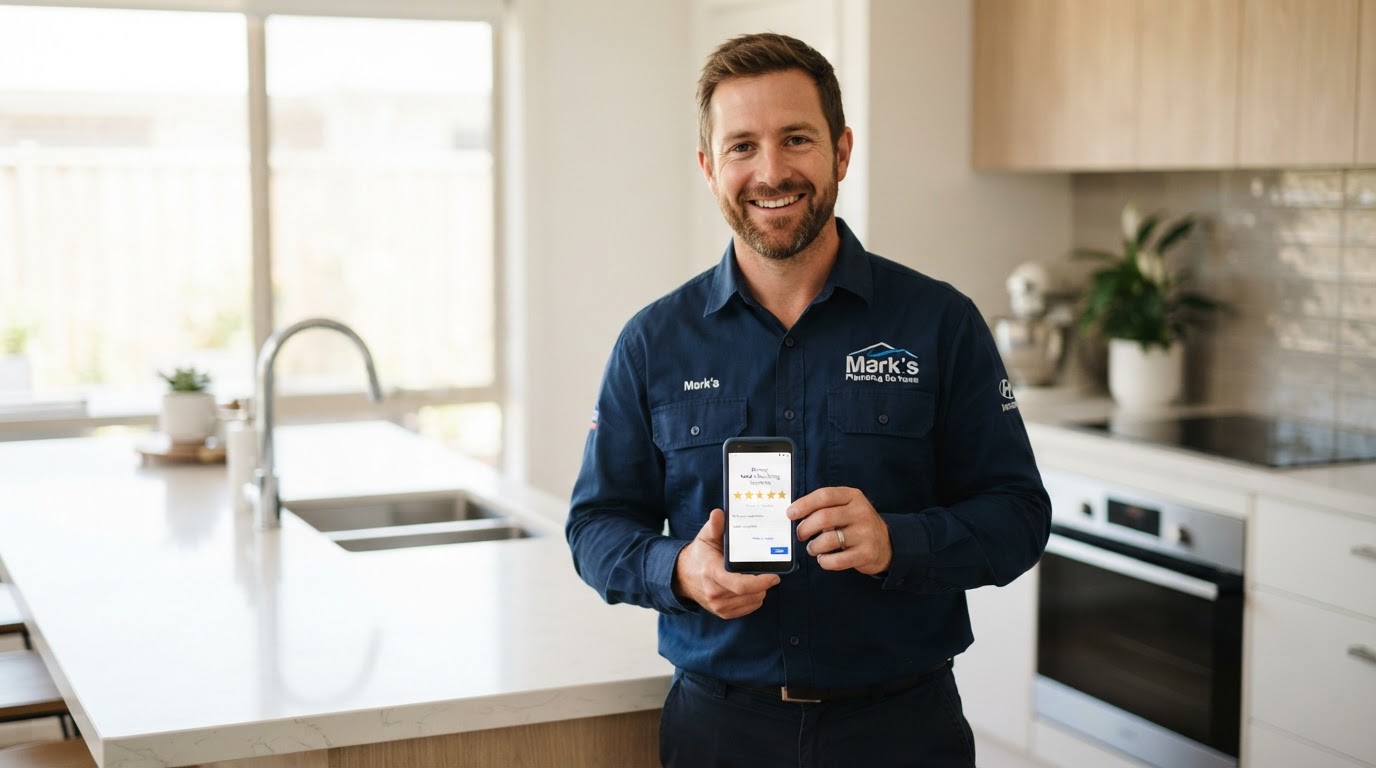
You finish a plumbing repair. The customer thanks you, pays the invoice, and says they'll recommend you to their neighbors.
A week later, you check Google. No new review.
That doesn't necessarily mean the customer wasn't happy. They may have forgotten, become busy, or never received an easy way to share their experience.
For a local service business, getting more reviews starts with a repeatable process: provide good service, make an honest request, and make it easy to respond.
This guide shows you how to build that process without awkward requests or endless reminders. We'll use a plumbing company as an example, but the same approach works for electricians, HVAC contractors, landscapers, cleaners, and other local service businesses.
1Understand What Customers Are Looking For
A homeowner hiring a plumber is inviting someone into their home, often during a stressful situation. They may want reassurance about communication, reliability, workmanship, and how the business handles problems.
Reviews give potential customers a window into those experiences.
Your goal is to make genuine customer feedback easier to find. You can control how consistently you invite feedback and how professionally you respond. Customers control what they write and the rating they choose.
There is no magic number of reviews that guarantees a particular position on Google.
Your first task: read your existing reviews from a homeowner's perspective. What questions do they answer? What recurring service issues deserve attention?
2Get Your Direct Google Review Link
Don't make customers search for your business and figure out where to leave a review. Give them a link that takes them to the review process for the correct listing.
On a computer:
Google also provides a downloadable review QR code through this desktop process. Interface labels can change, so look for the review-sharing option if your screen differs.
Test the link on your phone and confirm that it opens the correct business. Customers must be signed in to a Google Account to leave a review; that does not require a Gmail address.
- Sign in to the Google account that manages your Business Profile.
- Open your Business Profile.
- Select “Read reviews,” then “Get more reviews.”
- Copy the review link.
- Save it somewhere your team can easily access.
Your first task: save and test your direct review link.
3Choose a Consistent Time to Ask
Make the request part of a normal stage in your service process, such as after a job is completed and the customer receives the invoice.
For a plumber, a useful starting point is later that day or the next business day. That is a practical workflow suggestion, not a Google requirement or a guaranteed best time.
If a project spans several visits, choose a meaningful completion point instead of sending a request after every appointment.
Apply your process consistently. Don't decide who gets a Google review request based on whether you expect a positive rating.
Your first task: write down your trigger. For example, “After each completed job, send one review invitation through the customer's agreed communication channel.”
4Keep the Request Short and Optional
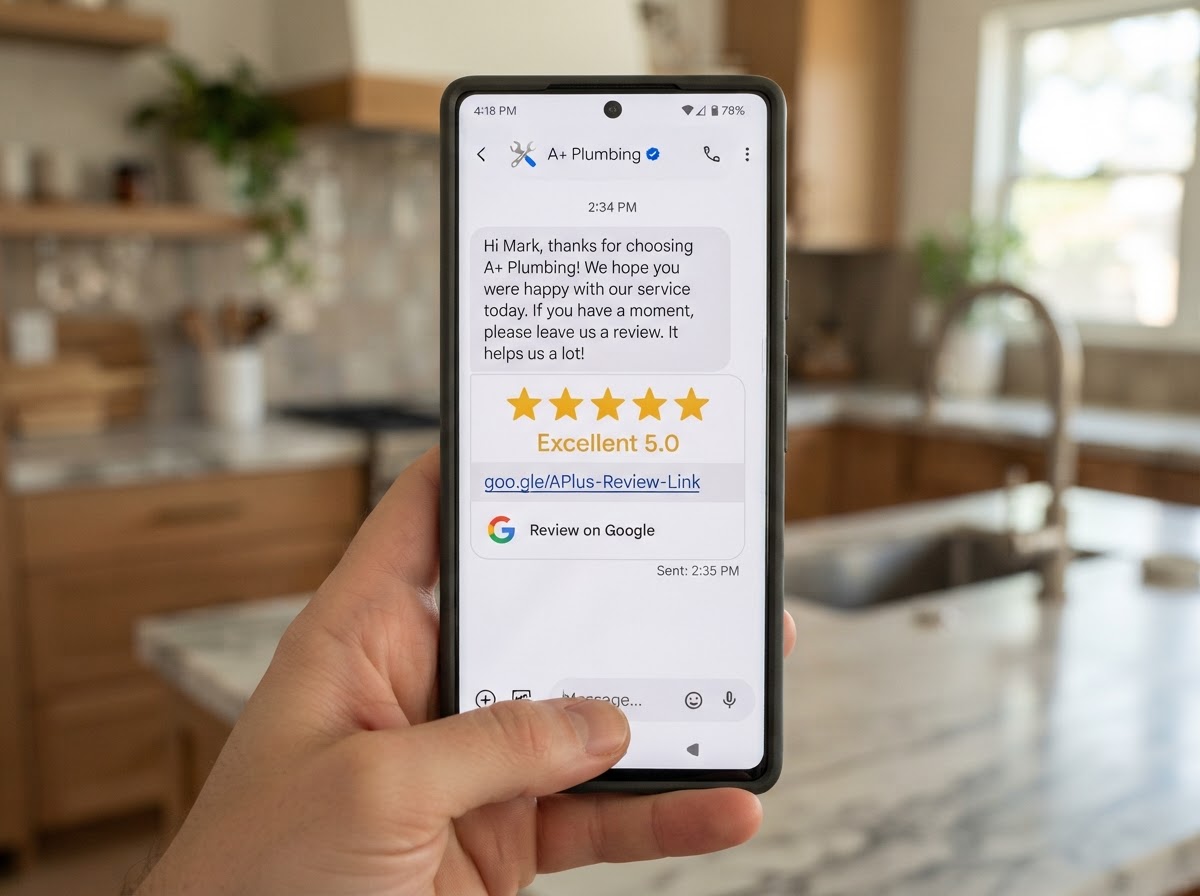
You don't need a long explanation or a sales pitch. Identify your business, thank the customer, and provide the link.
Sample text message:
“Hi [First Name], thanks for choosing [Business Name]. If you'd like to share an honest review of your experience, here's our Google review link: [Review Link]. We appreciate your feedback!”
Sample email:
Subject: Thank you for choosing [Business Name]
“Hi [First Name], Thank you for trusting us with your plumbing service. If you have a moment, we'd appreciate an honest Google review of your experience. Your feedback helps other homeowners learn about our business. Leave a review here: [Review Link] Thank you, [Business Name]”
An optional verbal mention when wrapping up:
“We'll send a link later if you'd like to share feedback about your experience. It's completely optional.”
Give the customer space to decide. Avoid standing over them while they write or waiting for them to show you their review.
Your first task: save a standard message so every request doesn't have to be written from scratch.
5Make Your Invoices and Thank-You Emails Work for You
Your review link can live in places customers already see: an invoice, a receipt, a job-completion email, or a thank-you message.
A simple line is enough:
“Want to share your experience? Leave an honest Google review: [Review Link].”
For printed materials, use the QR code with a short label such as “Share your experience on Google.” Keep it large enough to scan and test the printed version before distributing it.
A plumber might place it on a leave-behind service card. A cleaner might include it in the completion email. A landscaper might add it to the invoice footer.
Treat these as convenient ways to access the same invitation. Don't turn every customer interaction into another request.
Your first task: add the link or QR code to one existing customer touchpoint.
6Automate the Routine
When review requests depend on someone remembering at the end of a busy day, they're easy to miss.
You can start with a simple customer list and a saved message. As your business grows, a CRM or reputation-management system can handle the routine.
A basic workflow might look like this:
Use channels the customer has agreed to receive messages through, and honor opt-outs. Don't assume a phone number collected for scheduling automatically authorizes every type of message.
For repeat customers, set a sensible limit so they don't receive the same request after every visit.
Before activating automation, test it using your own contact record. Check the business name, customer name, link, timing, and stopping conditions.
- A job is marked complete.
- The system checks for an appropriate contact channel, communication permission, and recent requests.
- A short delay puts the message at a reasonable time.
- One honest review invitation is sent.
- Any permitted follow-up follows your chosen limits.
- Opt-outs, duplicate requests, and completed responses are handled appropriately.
Your first task: map the process before turning it on.
7Use One Gentle Reminder If Appropriate
Some customers intend to leave a review and forget. One reminder a few days later can be a reasonable starting approach.
For example:
“Hi [First Name], a quick follow-up from [Business Name]. If you'd like to leave an honest review of your recent experience, here's the link: [Review Link]. Thank you!”
Then stop.
Don't promise your automation will always know who has posted a review. A public reviewer's name may not match your customer record, and a link click does not prove a review was submitted.
Stop reminders when someone declines, opts out, or is known to have responded. Keep the total number of messages low.
Your first task: decide whether you need a reminder and set a clear stopping rule.
8Keep the Process Honest
Google allows businesses to invite genuine reviews, but prohibits incentives and rating manipulation.
For your business, that means:
You can provide a private customer-support channel alongside a public review link. Both should remain available regardless of the customer's opinion.
Fix problems because the customer deserves a good resolution. Don't make a refund or remedy conditional on changing or removing a review.
- Don't buy reviews or offer gifts, discounts, or raffle entries in exchange for them.
- Don't ask for a particular star rating or tell customers what to write.
- Don't route only satisfied customers to Google while sending dissatisfied customers to a private form. This is commonly called review gating.
- Don't pressure customers to post while you're on-site.
- Don't give employees review quotas or require reviews that mention them by name.
- Don't arrange reviews from employees or others with a conflict of interest.
Your first task: check that your scripts and automation welcome honest feedback without filtering customers by sentiment.
9Respond Like a Business Someone Would Want to Hire
Your responses are public. They show future customers how you communicate.
For a positive review, thank the customer and acknowledge something they actually mentioned.
If a reviewer says the team arrived on time and explained the repair:
“Thank you for sharing your experience. We're glad the explanation was helpful and appreciate you choosing our team.”
For a negative review, keep the response calm and brief:
“Thank you for raising this concern. We'd like to review what happened and discuss the next steps with you. Please contact our office at [Business Phone] so we can look into it.”
Adjust that wording to the facts. Don't claim you have investigated or resolved an issue if you haven't.
Avoid sharing addresses, invoice amounts, account details, or other private information in a public reply. Move detailed discussions to a private conversation.
If a review violates Google's policies, report it through the review-reporting process. Disagreement with a review is not, by itself, a reason for removal, and reporting does not guarantee removal.
Your first task: assign someone to monitor reviews and decide which complaints need an owner or manager's attention.
10Measure the Process and Learn From Feedback
Review your results monthly. Keep a simple record of:
Compare the number of new reviews with the number of requests as a rough indicator of how the process is working. It is not exact attribution: some reviews may arrive without a request or relate to an earlier job.
If requests aren't going out, fix the workflow. If links are failing, correct them. If customers repeatedly mention late arrivals or unclear pricing, investigate the service experience.
Avoid turning these numbers into review quotas for technicians. Use them to understand your process.
- Completed jobs
- Review invitations sent
- Delivery problems
- New Google reviews
- Reviews awaiting a response
- Recurring compliments or complaints
Your first task: choose a monthly review date and record a starting point.
What This Looks Like for a Plumbing Business
A technician finishes a water heater installation, explains the work, and answers the homeowner's questions.
The office marks the job complete. The next business day, the customer receives a short thank-you message with the Google review link through an appropriate channel.
If your process includes a reminder, it sends once under your chosen stopping rules. The customer can leave any honest feedback they choose.
When a review arrives, someone checks it and responds. Any service concern goes to the person who can address it.
The business owner checks the process monthly instead of manually chasing every customer.
That is a routine a busy service business can maintain.
Want Us to Build and Manage Your Review Process?
You can put these steps into practice yourself. But creating the messages, connecting your software, preventing duplicate requests, and keeping up with responses all take time.
At GME Marketing, we help local service businesses build a consistent Google review process.
We can set up your review links and QR codes, create branded request messages, connect review invitations to your customer workflow, configure limited follow-up, and help monitor and respond to reviews.
We can also help you see what's working and identify recurring customer feedback worth addressing.
You stay focused on delivering the service. We handle the process that makes sharing an honest experience easier.
Contact NassauPros for a review-process assessment. We'll look at how you currently request feedback, identify the gaps, and explain how we can handle the setup and ongoing management for you.
Editorial Sources
- Google: Create a review link or QR codehttps://support.google.com/business/answer/16816815
- Google: Tips to get more reviewshttps://support.google.com/business/answer/3474122
- Google: Prohibited and restricted contenthttps://support.google.com/contributionpolicy/answer/7400114
- Google: Manage customer reviewshttps://support.google.com/business/answer/3474050
- Google: Report inappropriate reviewshttps://support.google.com/business/answer/4596773