
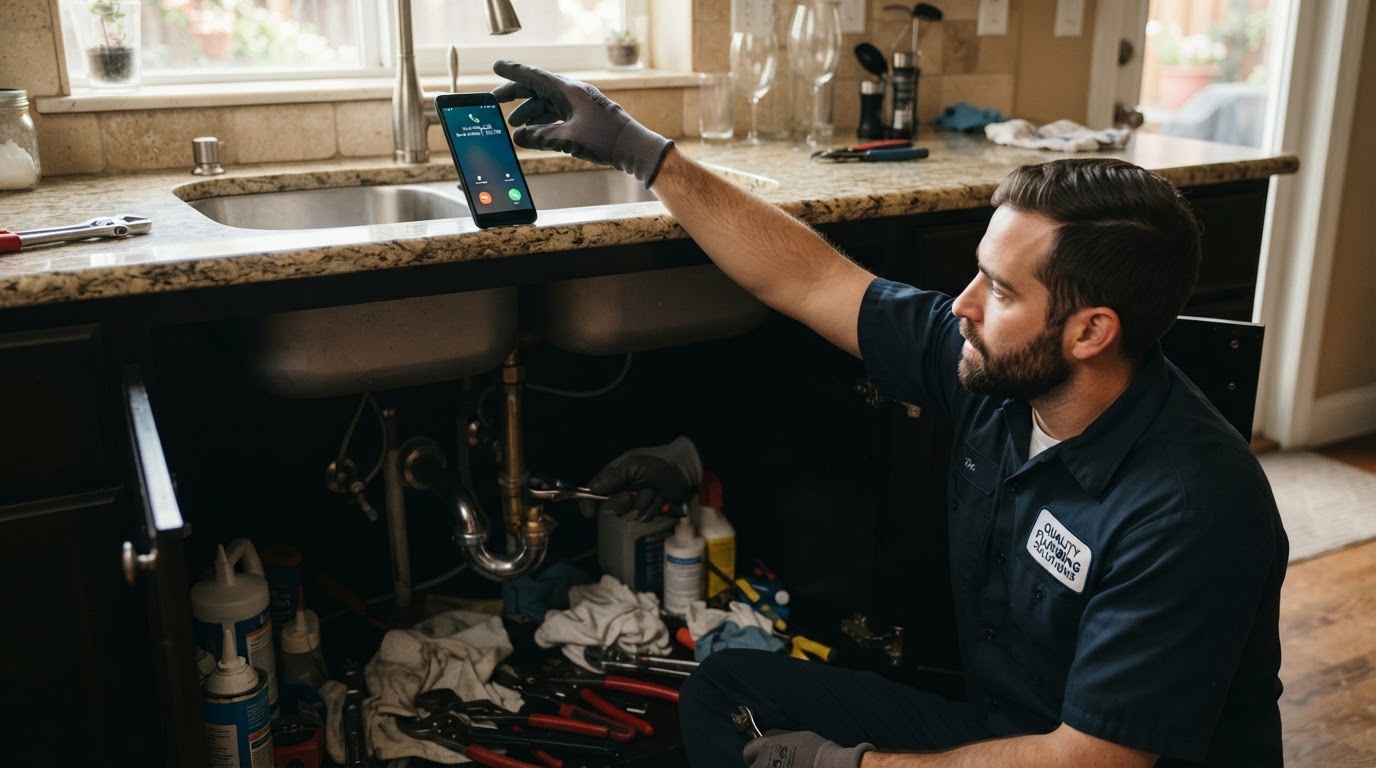
You're working under a sink when your phone rings.
You can't answer immediately. By the time you finish and return the call, the homeowner has already contacted someone else.
Meanwhile, a website inquiry is sitting in an inbox nobody checked, and an estimate you sent last week has never received a follow-up.
These are gaps that can happen when you're busy serving customers. Marketing can bring people to your business, but you still need a reliable way to handle the interest it creates.
For a plumber, electrician, HVAC contractor, landscaper, or cleaner, a clear response process can help keep inquiries moving toward booked work.
Here's how to build one.
1Find Out Where Inquiries Are Getting Stuck
Start by reviewing a recent period of calls, forms, messages, and estimates.
Ask:
Don't assume every missed call was a potential customer. Some may be spam, existing customers, suppliers, or repeat calls from the same person.
Look for useful patterns. Perhaps the phone goes unanswered while everyone is on-site, or a contact form sends notifications to an old email address.
You need to understand the gap before choosing the fix.
- How many calls went unanswered?
- Which calls received a callback?
- How long did customers wait for a real response?
- Where did website requests go?
- Did anyone respond to social messages?
- Which estimates are still open?
Your first task: review your recent inquiries and identify the most common point where follow-up stops.
2Give Every New Inquiry an Owner
“Someone will get to it” is difficult to manage.
Assign responsibility for each channel. Specify who answers calls, who checks forms, who responds to messages, and who covers when that person is unavailable.
In a small plumbing business, that may be the owner with a backup answering arrangement. In a larger company, it may be an office team with assigned shifts.
Use one shared record or inbox where practical. Record the customer's request, the last response, and the next action.
A simple set of stages might be:
Keep stages accurate. Sending an automated message does not mean someone has spoken with the customer.
- New inquiry
- Contact attempted
- Customer reached
- Assessment or appointment arranged
- Estimate sent
- Booked, closed, or declined
Your first task: decide who owns new inquiries and what happens when that person cannot respond.
3Fix Call Routing Before Buying More Leads
Call your business number from another phone and experience the process yourself.
Check how long it rings, where unanswered calls go, what the voicemail says, and whether the right person receives a notification.
Test business hours and after-hours separately.
Options might include routing to office staff, using an answering service, or adding a properly configured AI phone assistant. Choose an arrangement your business can support.
A clear voicemail could say:
“Thank you for calling [Business Name]. We're unable to answer right now. Please leave your name, phone number, service location, and a brief description of what you need. We return messages during [Actual Callback Hours].”
Only promise a response time you can deliver.
If you advertise emergency service, make sure your call-handling process supports the availability you publish. A general voicemail does not establish emergency coverage.
Your first task: test your routing and update any inaccurate greeting or callback promise.
4Use Missed-Call Text-Back as a Bridge
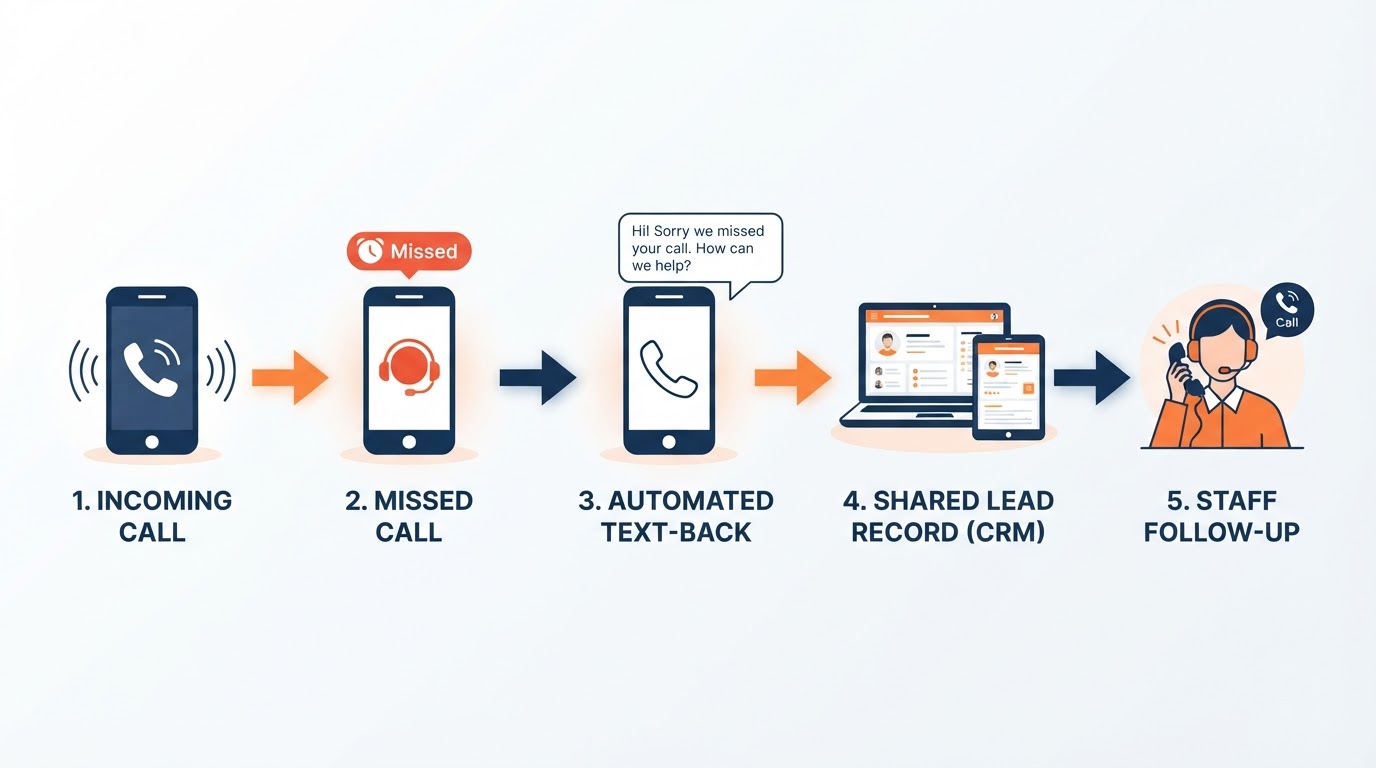
Where appropriate permissions, phone setup, and messaging requirements are in place, an automatic text can acknowledge a missed call and invite the customer to continue.
For example:
“Hi, this is [Business Name]. We missed your call. If you'd like to continue by text, please reply with your name, town, and the service you need. Our team reviews replies during [Hours]. Reply STOP to opt out.”
Adapt the message to your actual business and channel requirements. Don't add unrelated promotions or treat an incoming call as blanket permission for future marketing texts.
Set up duplicate prevention. A caller who tries three times shouldn't receive three identical messages.
Also check what happens when the customer replies. Someone needs to receive and handle that response.
Keep a callback process for callers who cannot receive texts or prefer a phone conversation.
Your first task: test one missed call, repeated calls, and a customer reply before activating the process.
5Consider an AI Phone Assistant for Call Coverage
An AI phone assistant can give callers a way to explain what they need when your team cannot answer.
In a supported, properly configured setup, it can answer incoming calls, collect details, respond using approved business information, and trigger follow-up actions.
If appointment booking is connected, it can use configured calendars and availability. For work that needs assessment, a callback or appointment request may be the better outcome.
Start with a clear introduction:
“Thank you for calling [Business Name]. I'm the AI assistant. I can help collect your service request and explain the next steps.”
Prepare the information it needs: services, coverage, hours, booking rules, and questions that require a person.
Give it limits. It should not invent prices, diagnose a problem with certainty, or promise technician availability that hasn't been confirmed.
Decide what happens when a caller wants a person or the system cannot help. Test the supported handoff or callback process.
Your first task: define the assistant's role and test several realistic calls before using it with customers.
6Respond to Website Inquiries With a Clear Next Step
A form submission should create both a customer acknowledgment and an actionable notification for your team.
For example:
Subject: We received your service request
“Hi [First Name], Thank you for contacting [Business Name]. We received your request about [Service or Brief Description]. Our team will review it and contact you during [Actual Response Hours] to discuss the next step. If you prefer to call us, our number is [Phone Number]. [Business Name]”
Use only information you reliably captured. If the form doesn't collect a service description, don't insert a guessed one.
An acknowledgment reassures the customer that the request arrived. It is not a substitute for a useful response from your team.
Check that notifications reach the right people. If your website uses an AI voice assistant, make sure captured requests enter the same response process.
Your first task: submit your own website form and follow the inquiry through to the staff notification.
7Make the First Conversation Useful
Responding quickly matters, but the customer also needs help moving forward.
Use a short intake process:
Then explain the appropriate action.
For a water heater inquiry:
“We can arrange an assessment so our technician can review the system and explain the options. Let's confirm your location and check the appointment schedule.”
Be clear about visit charges or other relevant terms before confirming, where applicable.
If you need someone else to confirm a detail, say so and assign the callback. Don't end with “We'll get back to you” without a plan.
- What service or problem are you calling about?
- Where is the property?
- What timeframe are you hoping for?
- What information do we need for the next step?
- Can our business handle the request?
Your first task: write an intake checklist and a clear way to close the conversation with the next action.
8Follow Up on Unanswered Inquiries Without Overdoing It
A customer may miss your return call because they're working or handling the problem themselves.
Use a limited, relevant follow-up process through appropriate channels.
A message might say:
“Hi [First Name], this is [Business Name] following up on your plumbing request. If you still need help, please reply or call [Phone Number] so we can discuss availability.”
A practical starting approach could be one initial response and one later follow-up during suitable hours. Adjust the timing to the request, your workflow, and the customer's preferences.
Don't send a sequence that continues after the person has replied, booked, declined, or asked you to stop.
When someone responds, hand the conversation to the responsible person. An automation stopping is not the same as a staff member taking over.
Your first task: set a follow-up limit and define the conditions that stop the sequence.
9Follow Up on Estimates Too
Your initial response may be excellent, but a larger project can still get stuck after the estimate.
Track open estimates separately from unanswered inquiries.
Follow up to help the customer decide:
“Hi [First Name], this is [Business Name] checking in on the estimate we sent for [Project]. Do you have any questions about the scope or next steps? We're happy to help.”
If a later message is appropriate:
“Hi [First Name], would you like us to keep your [Project] estimate open? Please let us know if you'd like to discuss scheduling, have questions, or have decided not to proceed.”
Match any validity dates and pricing statements to the actual estimate. Don't invent urgency or imply availability you haven't checked.
Keep the conversation helpful. Ask what information the customer needs instead of making every follow-up another discount.
Your first task: review your open estimates and assign the next appropriate action to each.
10Measure Responses and Completed Work
Track the process so you can see whether it is improving.
Useful measures include:
Keep automated acknowledgments separate from real conversations. Also distinguish bookings from completed work.
Where possible, record whether a completed job began with an initially missed call. That helps you understand how follow-up contributes.
Compare a starting period with a later one, taking account of demand, advertising, and staffing changes. Avoid attributing every improvement to one feature.
- Unique inquiries
- Missed and answered calls
- Time to the first useful response
- Customers successfully reached
- Appointments or assessments arranged
- Estimates issued
- Booked and completed jobs
Your first task: choose a few measures your team can record consistently and review them weekly.
A Simple Workflow for a Plumbing Business
A homeowner calls while the team is on a job.
The configured phone process either routes the call to available coverage or records it as missed.
If an appropriate missed-call text is enabled, one acknowledgment goes out. Alternatively, a phone AI assistant may collect the request during the call.
The inquiry enters a shared record with the customer's details and a named owner.
The responsible person reviews the request, contacts the customer, and establishes the next step.
If the customer doesn't respond, a limited follow-up process applies. If they reply or book, the inquiry reminders stop.
Any estimate gets its own appropriate follow-up. When the work is completed, the record is updated.
Each week, the owner reviews missed inquiries, response times, and outcomes.
That gives every request a clear path while leaving the actual service decisions with your team.
Test the Process Before Launching
Make a normal call, a missed call, and an after-hours call.
Submit a form. Reply to a message. Try an opt-out. Book an appointment where booking is enabled.
Check duplicate requests and repeated calls. Confirm that the correct staff member receives notifications and that reminders stop when they should.
Test the AI with a question it should know and one it should refer to a person.
Make sure the customer's experience matches what your website and advertising promise.
Want Us to Set Up and Manage Your Response Process?
At NassauPros, we help local service businesses connect call handling, lead capture, and follow-up into a process their team can use.
We can set up appropriate missed-call text-back, configure an AI phone assistant around your business information, and route new inquiries into a shared lead-management system.
We also create branded response messages, staff notifications, limited inquiry follow-up, and estimate follow-up workflows. Appointment-request or booking options can be connected where suitable.
If you use our Smart Website with an on-site AI voice assistant, we can connect its inquiries to the same follow-up process.
We test the setup, establish stopping rules, and help you monitor how inquiries progress toward booked work.
You focus on serving customers. We handle the systems that help your team respond and follow through.
Contact NassauPros for a lead-response assessment. We'll review what happens when someone calls, submits a form, or requests an estimate, then show you where a done-for-you setup could improve the process.