
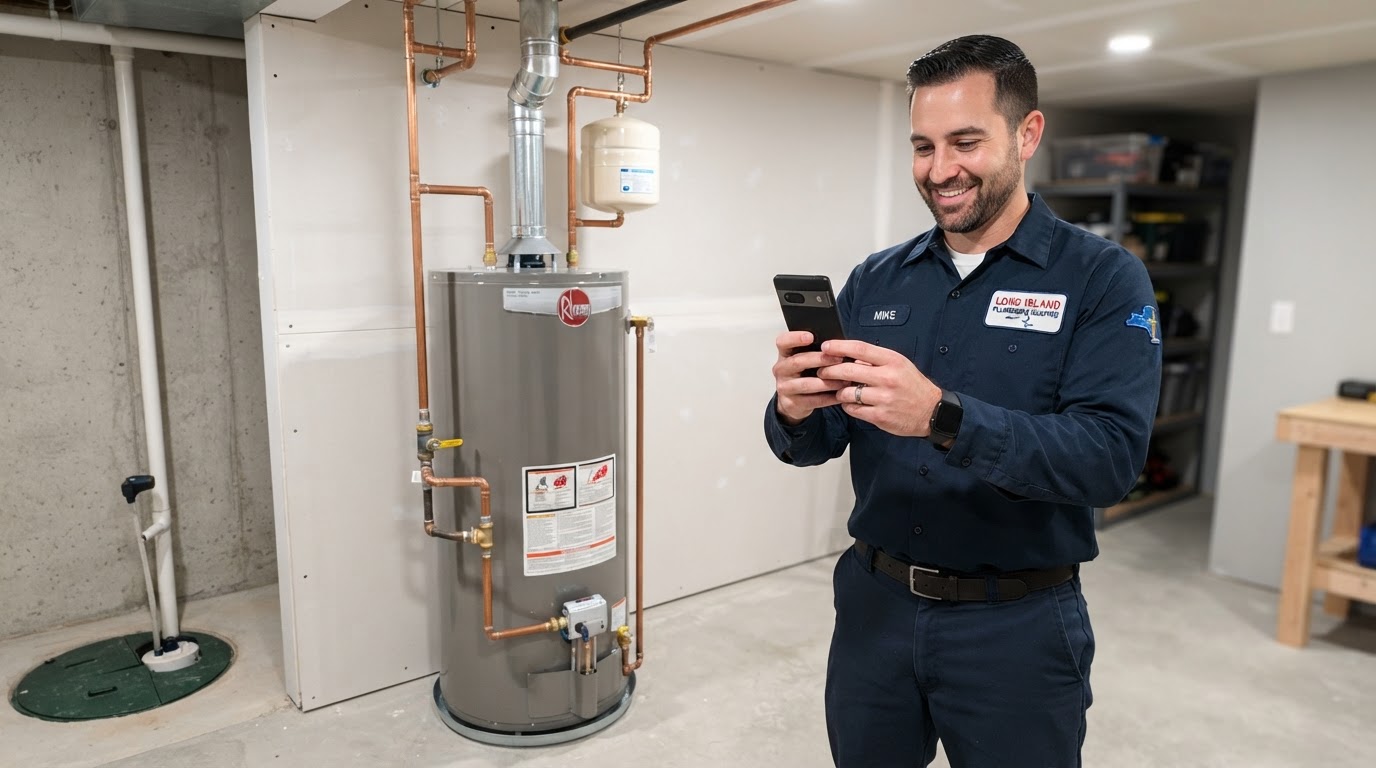
You finish a job, clean up, collect payment, and head to the next appointment.
Meanwhile, you're wondering what to post on social media this week.
The answer may already be on your phone—or in the work you just completed.
A repaired leak, a new water heater, a landscaped yard, or a freshly cleaned property can help potential customers understand what you do and how you work.
You don't need to turn every visit into a public case study. You need a simple habit for capturing useful information, then choosing the jobs that are appropriate to share.
Here's how to turn your completed work into photos, posts, short videos, and website content without starting from a blank page every time.
1Start With the Question a Customer Would Ask
A photo of a completed job is useful when the viewer understands what it shows and why it matters.
Before creating content, ask:
“What would a potential customer learn from this job?”
For a plumber, the story could explain what happens during a water heater assessment, how the team protects the work area, or why the homeowner chose a particular option.
For a landscaper, it could show how a design created usable outdoor space. For a cleaner, it could explain what a move-out service includes.
Even a routine job can answer a useful question. It doesn't have to be dramatic.
Your first task: choose one recent job and identify one thing a customer could learn from it.
2Get Permission and Choose What You Can Share
Ask for permission before photographing a customer's property for marketing or publishing their image, words, or project details.
A simple way to begin the conversation:
“Would you be comfortable with us taking a few photos of the completed work for our website and social pages? We can leave out your name and exact address.”
Explain the intended use and record the permission appropriately. If you plan to use the material in advertising, include that use rather than assuming permission for one post covers everything.
Respect a customer who declines. It shouldn't affect the service they receive.
Check images for addresses, paperwork, family photos, license plates, people, and other identifying details.
If you can't share property photos, you may still be able to create a general educational post based on your expertise without identifying the customer.
Your first task: establish a permission process and record where each item may be used.
3Capture a Small Set of Useful Photos
You don't need professional equipment to begin. A phone and a consistent approach can give you usable material.
For a suitable job, aim to capture:
Keep the lens clean, use decent light, and make sure the subject is in focus.
For before-and-after images, use a similar angle and distance where practical. Label them accurately, and don't exaggerate the change through editing.
If you missed the “before” photo, use the completed work. Don't recreate damage or borrow an unrelated image to fill the gap.
Photograph only when it is appropriate to pause. Completing the work well comes first.
- The original situation, if permission and timing allow
- A detail that helps explain the work
- The completed result
- An optional team or work-area photo
Your first task: create a short photo checklist your team can use on suitable jobs.
4Record the Story While You Remember It
Photos rarely explain the full project.
Before the details fade, write a few notes or record a brief internal voice memo:
A plumbing example might read:
“Homeowner asked about replacing an older water heater. We assessed the existing setup, discussed suitable options, installed the selected unit, and explained its operation.”
Add details only when they are relevant and safe to share.
Separate what you know from what you suspect. Don't claim you prevented major damage, reduced bills, or permanently solved a problem unless you have a sound basis for that statement.
- What did the customer need?
- What did your team assess?
- What work was completed?
- Why was that approach chosen?
- What result can you accurately describe?
- What question did the customer ask?
Your first task: save a short project note alongside the photos.
5Use a Simple Caption Formula
Start with four elements:
The situation: What prompted the job?
The work: What did your team do?
The result: What can you accurately show or confirm?
The next step: What should an interested customer do?
Here is a hypothetical caption to adapt only when it matches your actual work:
“A homeowner wanted to understand their options for replacing an older water heater. Our team assessed the existing setup, explained suitable choices, and installed the unit they selected. We also walked through its operation and answered their questions before wrapping up. Considering a water heater project? Contact [Business Name] to discuss an assessment.”
You don't need every post to include every technical detail. Keep the explanation understandable to a homeowner.
Your first task: write one caption using your job notes and this structure.
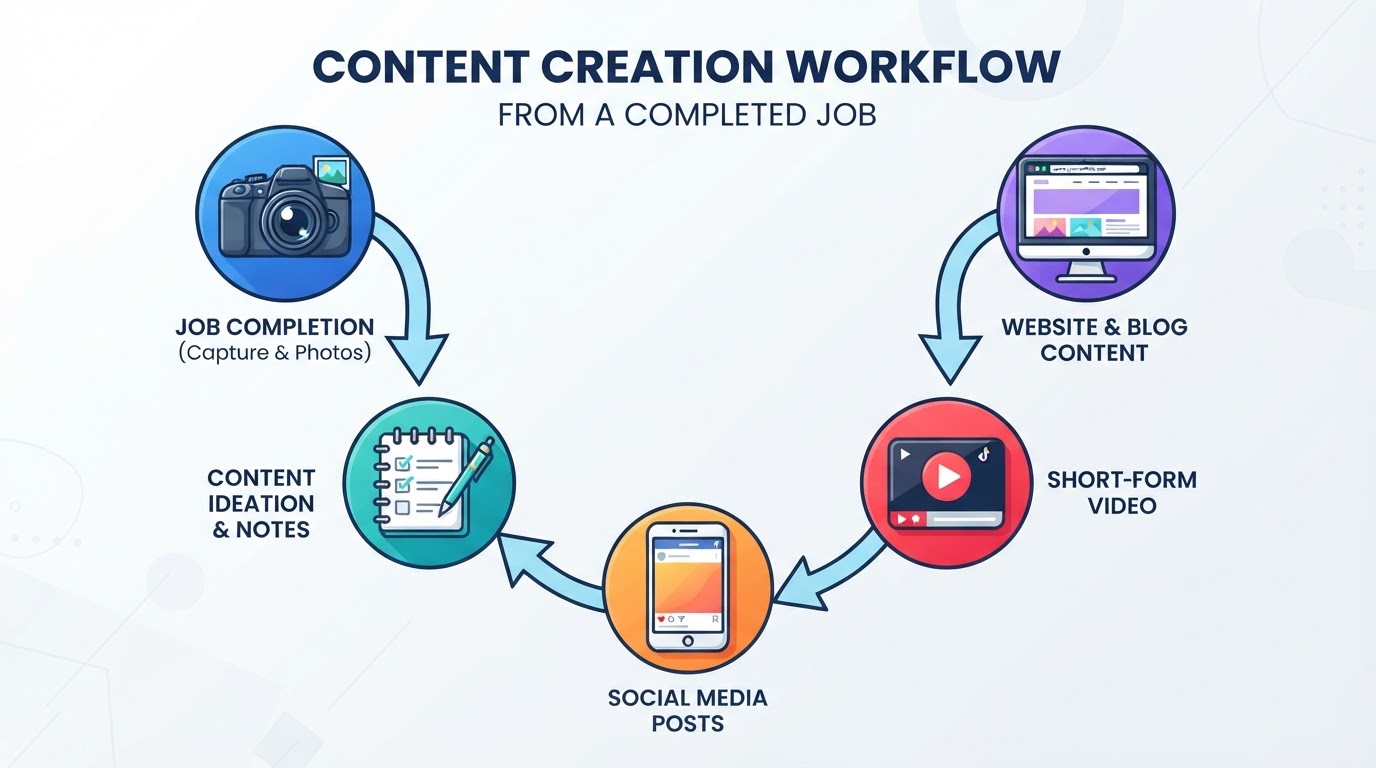
6Turn One Job Into Several Distinct Pieces
One suitable project can support more than one useful message.
For a water heater installation, you could create:
Give each piece a different purpose. A project post shows the work. A question-and-answer post helps someone understand the process. A website example gives prospective customers more detail.
You don't need to publish all of them. Select the pieces that add something useful, and space them out.
The goal is to reuse good source material thoughtfully rather than post the same caption repeatedly.
- A completed-project photo post
- A before-and-after comparison, if you have both images
- A short video about what happens during an assessment
- A post answering a question the customer asked
- A Google Business Profile update
- A website project example
Your first task: identify three useful content angles from one completed job.
7Make Short Videos Simple
A technician explaining one question can be enough.
For example:
“A question we hear about water heater replacement is what happens before we recommend a unit. We start by reviewing the existing setup and the household's needs, then explain suitable options and the next steps. If you're planning a replacement, contact our team to arrange an assessment.”
Adapt the wording to your actual process.
Film in a suitable location with clear audio. Add readable captions so viewers can follow without sound, and check that the captions match what was said.
For a slideshow, use genuine project images with brief labels and a clear explanation.
If a photo wasn't taken during the process, don't present it as process footage. Keep educational demonstrations distinct from customer jobs.
Your first task: record one short answer to a question customers frequently ask.
8Choose the Right Place for Each Piece
Different channels serve different purposes.
Social pages: Share accessible project stories, useful questions, and short videos that help people understand your services.
Google Business Profile: Add appropriate real-work photos and publish useful updates. Google supports posts with text, images or video, and available action buttons.
Website service pages: Add relevant project examples and images near the service they demonstrate.
Website project stories: Use these when you have enough information to explain the customer's need, your approach, and the completed work.
Customer emails: Include a suitable example when it helps an appropriate audience understand a service you offer.
Advertising: Use accurate, approved project material in a campaign that matches the service and its destination page.
Publishing a project or profile update doesn't guarantee higher rankings or new bookings. Its usefulness depends on the material, distribution, and customer experience that follows.
Your first task: choose two places where your project content will be most useful.
9Organize the Material So It Gets Used
Create a shared system that your team and marketing provider can understand.
Give each project a folder or record containing:
Use clear labels. Keep private customer information separate from the material intended for marketing.
Assign responsibility for selecting photos, checking facts, writing drafts, and approving them.
A practical routine might be:
At job completion: Capture suitable material and notes.
Once a week: Select useful projects and prepare content.
Before publishing: Check accuracy, permissions, captions, links, and image labels.
After publishing: Record where the material was used.
- Original photos and video
- Approved versions for publishing
- Project notes
- Permission and allowed uses
- Service type
- General service area, where appropriate
- Drafts and publication status
Your first task: organize one job into a complete content folder before collecting a large backlog.
10Track Whether the Content Helps Customers Take Action
Views and likes can tell you something about attention. They don't tell you whether the content generated worthwhile work.
Look for relevant questions, service-page visits, inquiries, assessment requests, and completed jobs where your tracking supports the connection.
Ask new customers how they found you. Someone may say they saw an installation video before searching for your business later.
Treat attribution carefully. A customer can encounter several posts and channels before contacting you.
Use feedback to choose future topics. If a project explanation prompts good questions, expand it. If people misunderstand a service, clarify the content.
Your first task: record customer questions and inquiries connected to your posts, alongside the usual engagement figures.
A Complete Example: One Water Heater Job
Imagine your team completes a water heater replacement and has permission to share appropriate photos.
You capture the installation and record a few factual notes about the assessment, selected option, and customer handover.
From that material, you create:
A social photo post: A short account of the project and an invitation to request an assessment.
A question post: “What happens during a water heater replacement assessment?” followed by an explanation of your actual process.
A short video: A technician answers that question without sharing customer details.
A Google Business Profile update: A concise project summary with a genuine image and an appropriate service-page link or action button.
A website example: A fuller explanation on the water heater page, showing the type of work your business handles.
If you later use the material in an ad, confirm that permission covers advertising and that the offer accurately describes the service.
One job has given you several possible pieces because you captured the information once and adapted it for different purposes.
What If the Job Doesn't Look Exciting?
A routine job can still answer a question.
You might explain:
For a cleaner, the detail could be an area customers overlook. For a landscaper, it could be the reason behind a design choice.
Choose a useful lesson. Skip public sharing when permission, privacy, or the quality of the material makes it unsuitable.
Can AI Help You Write the Content?
AI can help turn your notes into draft captions, video outlines, and project summaries.
Give it the facts and ask it to stay within them.
For example:
“Draft a short social post from these project notes. Use plain language. Don't invent customer quotes, causes, savings, guarantees, or details that aren't in the notes.”
Have someone who understands the work review the result.
Keep sensitive customer information out of tools that haven't been approved for that use. And don't use a generated image as evidence of work your team completed.
The strongest source material is your actual experience. Google's guidance on helpful content also encourages demonstrating firsthand expertise and serving the reader's needs.
A Quick Job-Content Checklist
Before leaving a suitable job, confirm:
This can become a small part of your completion routine, giving your marketing team something concrete to work with.
Want Us to Turn Your Job Photos Into Marketing Content?
At NassauPros, we help local service businesses turn completed work into useful, consistent marketing.
You provide approved photos, video, and a few accurate project notes. We organize the material and create content around the services you want customers to understand.
Our done-for-you content and social media work can include branded posts, short video edits, customer-question content, Google Business Profile updates, and website project examples.
We handle drafting, formatting, scheduling, and publishing within the services and channels agreed for your business. You review the facts and confirm the material is approved for use.
We can also connect appropriate content to your wider website, local SEO, and advertising plan.
You focus on doing the work. We help make that work visible to potential customers.
Contact NassauPros for a content and social media assessment. Bring a few approved job photos, and we'll show you how they could support your next round of marketing.
Editorial Sources
- Google: Create and manage Business Profile postshttps://support.google.com/business/answer/7342169
- Google: Manage Business Profile photos and videoshttps://support.google.com/business/answer/6103862
- Google: Helpful, reliable, people-first contenthttps://developers.google.com/search/docs/fundamentals/creating-helpful-content